5 minutes · IPTV Smarters Pro
Apollo Group TV on Smart TV
Samsung and LG TVs carry IPTV players in their own stores, so nothing is side-loaded. Five minutes, no remote-typing of long URLs.
Samsung and LG sets can run Apollo without any extra hardware, which is the tidiest setup there is — one remote, no box, nothing extra plugged in. The catch is that both stores vary by region and by model year, so the app you need is not always listed.
Devices this covers
- Samsung Tizen sets, 2018 and later
- LG webOS sets, 2018 and later
- Android TV and Google TV sets — use the Android TV guide instead
- Older or other brands — use IBO Player, or a streaming stick
Before you start
- A Samsung (Tizen) or LG (webOS) TV from 2018 or later, on the internet
- Your Apollo server URL, username and password from the portal
Your server URL, username and password are on your subscription page in the portal, and in the email sent when the line was created. Copy them exactly — they are case-sensitive, and a trailing space pasted from an email is the most common reason a login is rejected. Open your subscription page.
Option 1: IPTV Smarters Pro
The straightforward route when your TV's store has it.
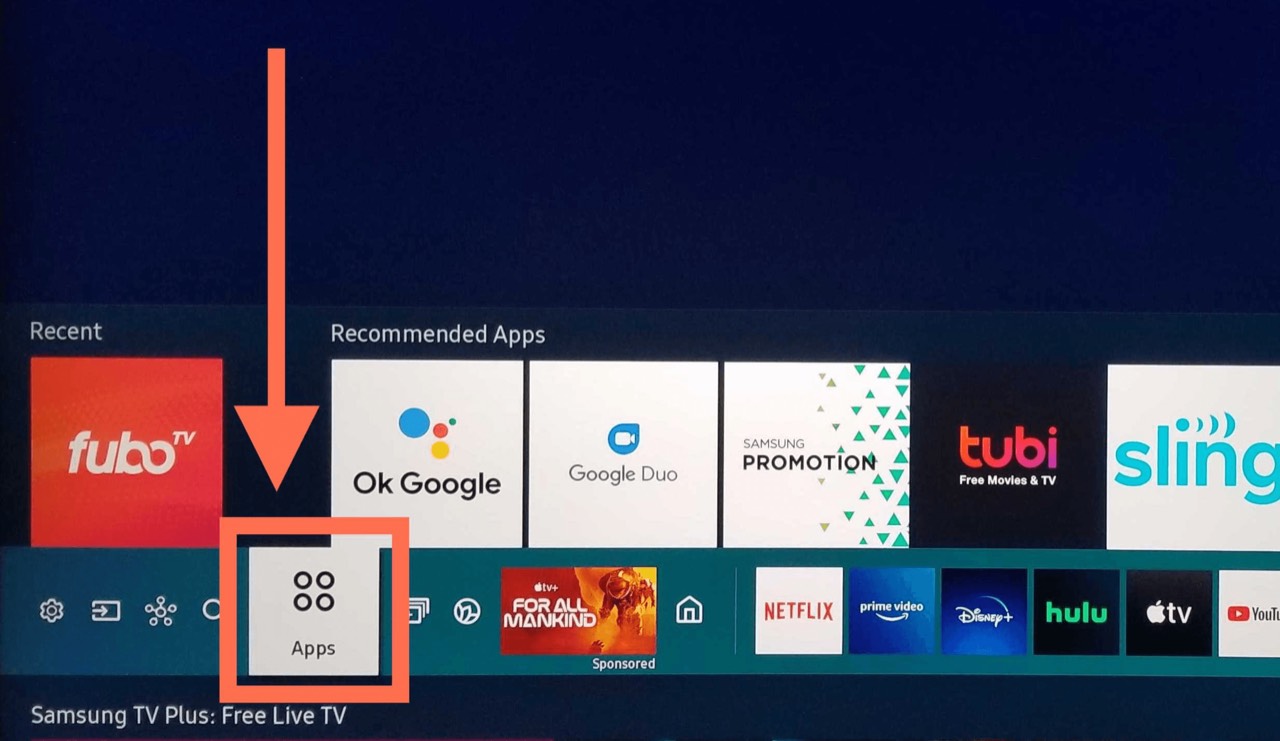
Open your TV's app store
On Samsung this is Apps; on LG it is the LG Content Store. Both sit on the main home row.
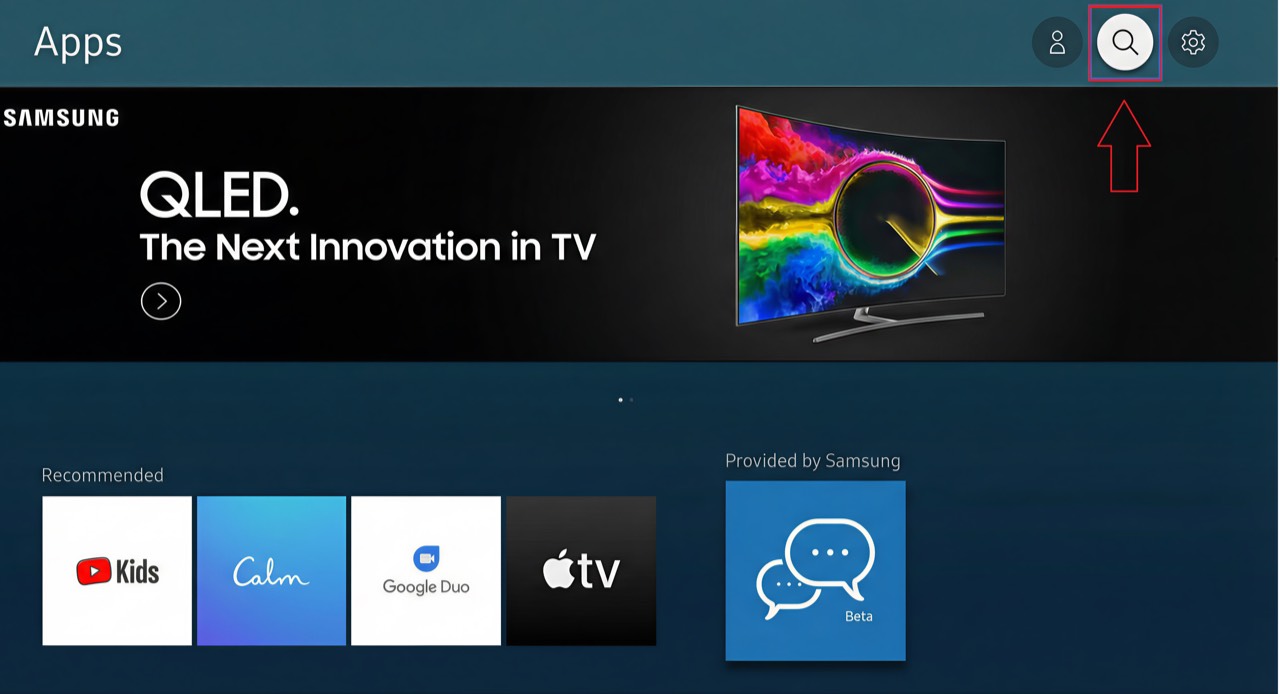
Search for the player
Search Smarters. Several similarly named apps exist — the one you want is published by WHMCS Smarters.
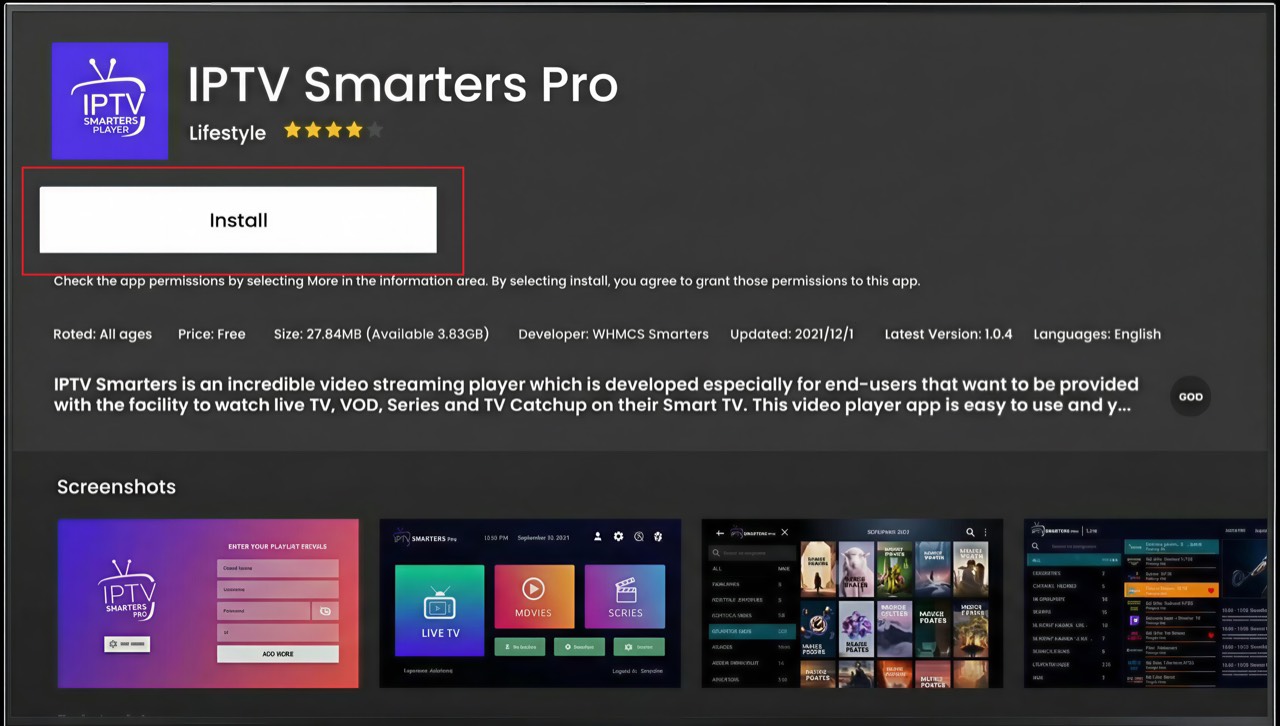
Install it
Choose Install and wait. It is a small app and takes well under a minute on most sets.
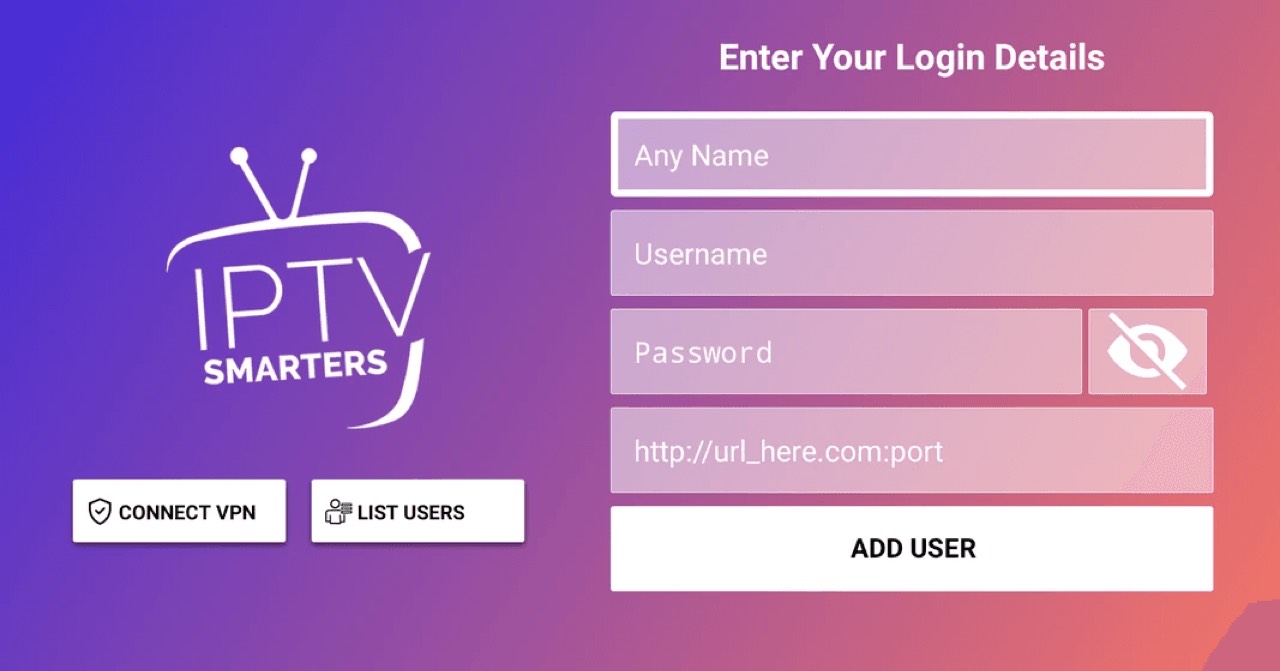
Sign in with your line
Open the app, choose the Xtream Codes login and enter your username, password and server URL from the portal.
Option 2: IBO Player
Use this when your TV's store has no Smarters app — common on older Tizen and webOS builds. It is activated from a browser rather than the TV, so there is nothing long to type with the remote.
Install IBO Player from the TV store
Search IBO Player and install it. Open it once — it will show a MAC address and a Device Key, and then sit waiting.
Write down the two codes on screen
You need both the MAC address and the Device Key. They identify this particular TV and nothing else will work in their place.
Activate from a phone or laptop
Go to iboplayer.com in any browser and enter those two codes. This is where the long server URL gets typed, on a real keyboard.
Add your line as an Xtream account
Choose the Xtream Codes option and enter your username, password and server URL from the portal.
Restart the app on the TV
Close IBO Player fully and reopen it. It collects the line you just attached and loads the channel list.
If the store says the app is not available in your region
Samsung and LG both filter their stores by the region set on the TV, and IPTV players are missing from some of them. Changing the TV region is a factory-reset-level change and we do not recommend it — use the IBO Player route above instead, or an inexpensive Fire TV Stick plugged into the same TV.
Questions about Smart TV
My TV's store has no Smarters app. Now what?
Use the IBO Player route above. It is activated from a browser instead of the TV, so nothing long gets typed with the remote, and it works on sets where Smarters is not listed.
Do I need a separate box?
Not if your set is a 2018-or-later Samsung or LG. Older sets are usually happier with a cheap streaming stick than with their own ageing app platform.
Will it play in 4K?
On a 4K set, yes, where the channel is broadcast in 4K. Anything else plays at the resolution it is sent in and is upscaled by the TV.
Other devices
Need a hand?
Support answers around the clock, and a line can be tested from a desktop in about a minute if you are not sure whether the problem is the device or the subscription.
Open the help centre