5 minutes · MYTVOnline
Apollo Group TV on Formuler Box
Formuler's own MYTVOnline player takes a portal URL directly. Around five minutes.
Formuler boxes ship with MYTVOnline, their own player, which takes a portal URL directly — so there is nothing to side-load and no third-party app involved. They are popular for good reason: the remote is sensible and the player is quick.
Devices this covers
- Formuler Z8 and Z8 Pro
- Formuler Z10 and Z10 Pro Max
- Formuler Z11 series
- Any Formuler box running MYTVOnline 2 or 3
Before you start
- A Formuler Z-series box on the internet
- Your MAC address registered on your subscription
- Your Apollo portal URL from the subscription page
Your server URL, username and password are on your subscription page in the portal, and in the email sent when the line was created. Copy them exactly — they are case-sensitive, and a trailing space pasted from an email is the most common reason a login is rejected. Open your subscription page.
Installing with MYTVOnline
Finish the first-run setup
Work through language, network and time zone if the box is new. MYTVOnline will not save a portal until the clock is right.
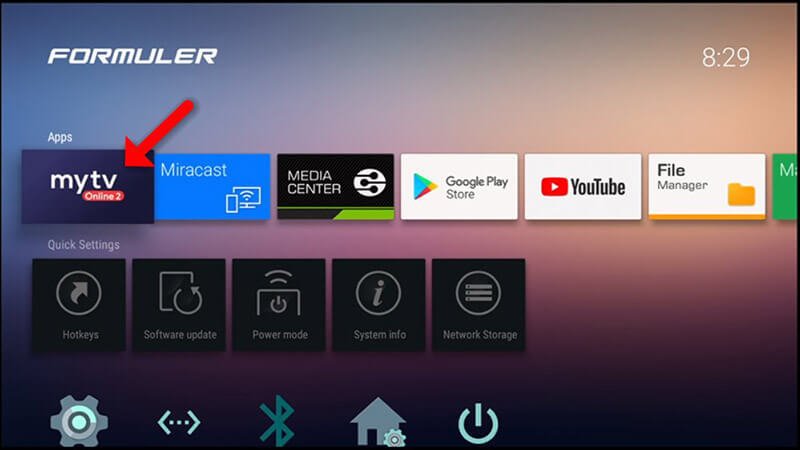
Open MYTVOnline
Launch it from the home screen — it is the box's built-in player.
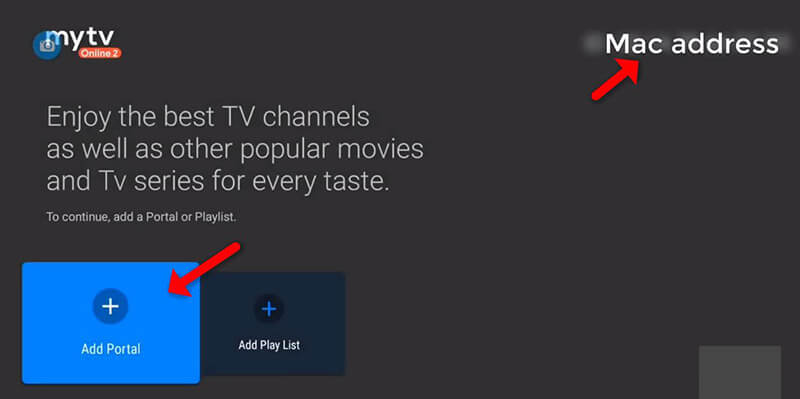
Edit the portal list
Open the portal settings and choose Edit to add a new entry.
Enter your portal details
Give it any name and type the portal URL from your subscription page.
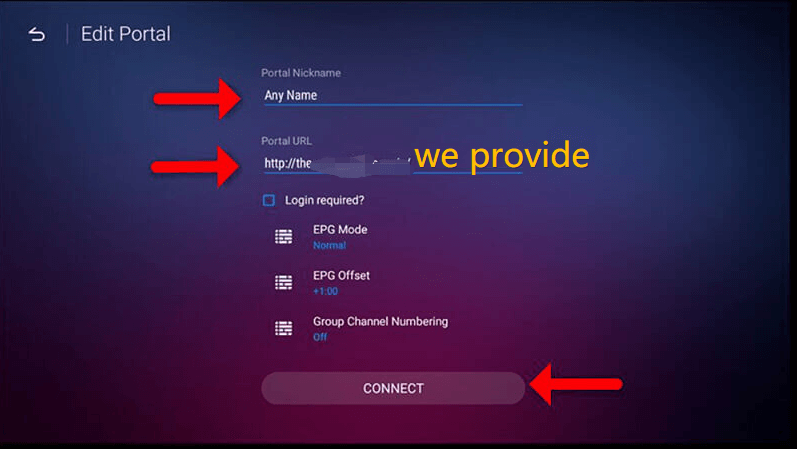
Confirm and load
Choose OK. The box connects and pulls the channel list.
If channels load but the guide is empty
MYTVOnline downloads the EPG separately and on a schedule. Force it from the player's settings, and check the box's time zone — a wrong zone shifts the whole guide by hours and looks like missing data.
Questions about Formuler Box
MYTVOnline or a side-loaded player?
MYTVOnline, unless you have a reason not to. It is built for the remote that came with the box and it takes the portal URL without any extra activation.
The guide is empty but channels play.
MYTVOnline fetches the EPG on its own schedule. Force a refresh from its settings, and check the box's time zone — a wrong zone shifts the whole guide and reads as missing data.
Does it need the MAC registering like a MAG?
For portal logins, yes. Send us the MAC shown in the box's settings and we will attach it to your subscription.
Other devices
Need a hand?
Support answers around the clock, and a line can be tested from a desktop in about a minute if you are not sure whether the problem is the device or the subscription.
Open the help centre