5 minutes · IPTV Smarters Pro for desktop
Apollo Group TV on Windows / Mac
A desktop player with a real keyboard, which makes it the easiest place to check a line is working. Around five minutes.
A desktop is not how most people watch, but it is the fastest way to find out whether a problem is the line or the device. It is the one setup where you can paste credentials instead of typing them on a remote, which rules out the most common failure in about a minute.
Devices this covers
- Windows 10 and 11
- macOS 11 Big Sur and later, Intel and Apple Silicon
- Any browser, via the web player, where a download is not possible
Before you start
- A Windows 10/11 PC or a Mac
- Your Apollo server URL, username and password from the portal
Your server URL, username and password are on your subscription page in the portal, and in the email sent when the line was created. Copy them exactly — they are case-sensitive, and a trailing space pasted from an email is the most common reason a login is rejected. Open your subscription page.
Installing with IPTV Smarters Pro for desktop
Download the desktop build
Get it from the link on your subscription page. There are separate Windows and macOS builds — take the one matching your machine.
Run the installer
On Windows, run the .exe and accept the defaults. On macOS, drag the app into Applications.
macOS only: allow it to open
Gatekeeper blocks the first launch because the app is not notarised. Open System Settings → Privacy & Security, scroll to the message about the blocked app and choose Open Anyway.
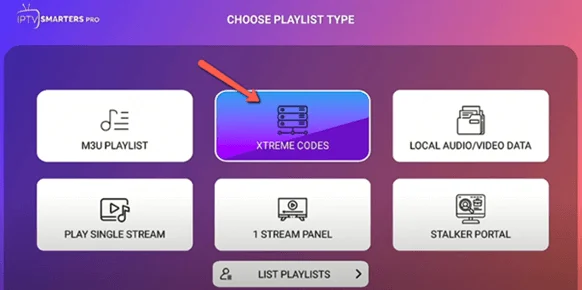
Choose the Xtream Codes login
Pick Login with Xtream Codes API.
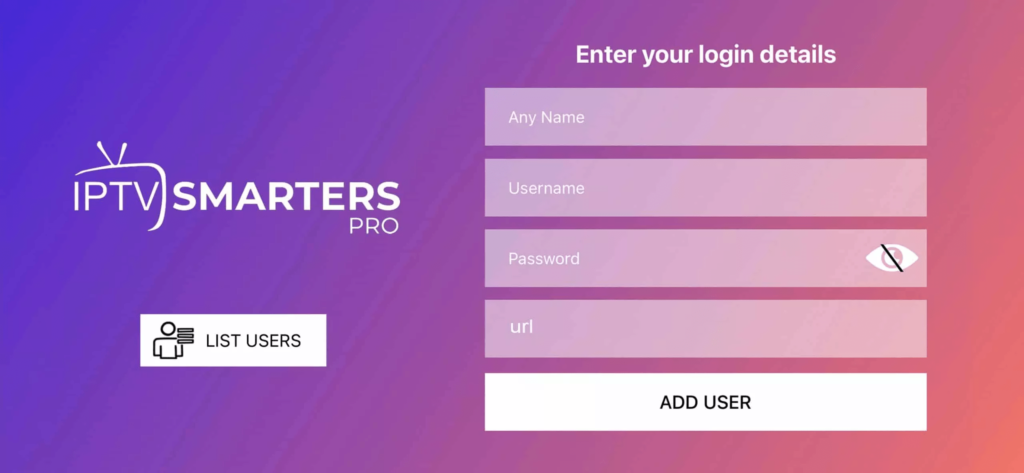
Paste your line
Paste the username, password and server URL from the portal. This is the one setup where you can paste rather than type, which makes it the fastest way to prove the credentials are right.
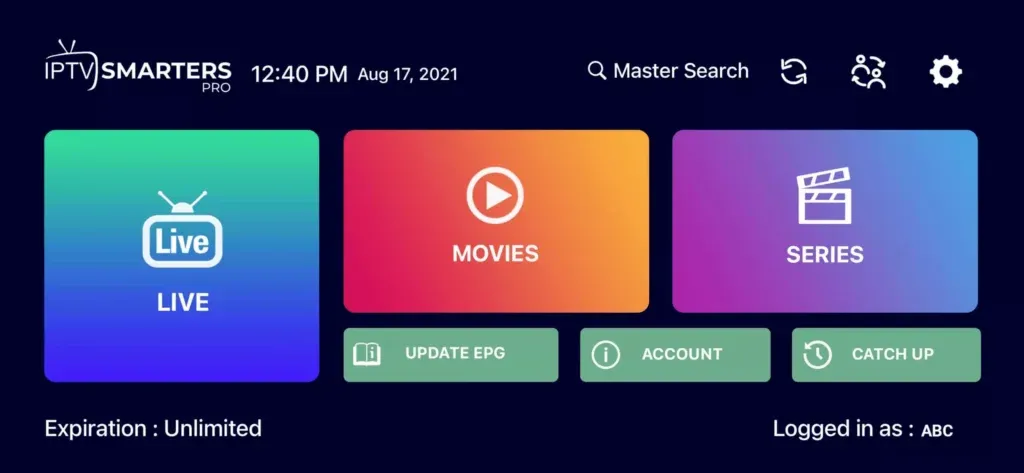
Browse and watch
Live TV, Movies and Series each have their own tab once the first sync completes.
If you want to test a line before setting up a TV
Do it here first. A desktop rules out the two things hardest to diagnose on a TV — a mistyped credential and a blocked connection — in about a minute, and anything that works here is a device problem rather than a line problem.
Questions about Windows / Mac
macOS says the app is damaged or blocked.
That is Gatekeeper, because the build is not notarised. Open System Settings, then Privacy & Security, find the message about the blocked app and choose Open Anyway.
Should I set up the desktop first?
If a line is new or you think something is wrong, yes. Anything that works here is a device problem rather than a subscription problem, which narrows the search considerably.
Does watching on the desktop use up a stream?
Yes. It counts against the simultaneous devices on your plan exactly like a TV does.
Other devices
Need a hand?
Support answers around the clock, and a line can be tested from a desktop in about a minute if you are not sure whether the problem is the device or the subscription.
Open the help centre