5 minutes · Built-in portal
Apollo Group TV on MAG Device
No app to install — MAG boxes take a portal URL directly. Five minutes, and your MAC address has to be registered with us first.
MAG boxes are the old guard of IPTV hardware and still the most reliable thing you can put in front of a TV. There is no app to install: the box speaks the portal protocol natively, so setup is typing one URL. The condition is that we must have your MAC address on file first.
Devices this covers
- MAG 250, 254 and 256
- MAG 322, 324 and 349
- MAG 420, 424 and 524
- Most Infomir MAG boxes running stock firmware
Before you start
- A MAG box connected to your TV and the internet
- Your box's MAC address, registered on your subscription in the portal
- Your Apollo portal URL from the subscription page
Your server URL, username and password are on your subscription page in the portal, and in the email sent when the line was created. Copy them exactly — they are case-sensitive, and a trailing space pasted from an email is the most common reason a login is rejected. Open your subscription page.
Installing with Built-in portal
MAG boxes run a stalker portal natively — there is nothing to side-load.
Power on the box
Let it boot to its own menu. If it goes straight to a previous provider's portal, press the Setup or Menu button on the remote to get out.
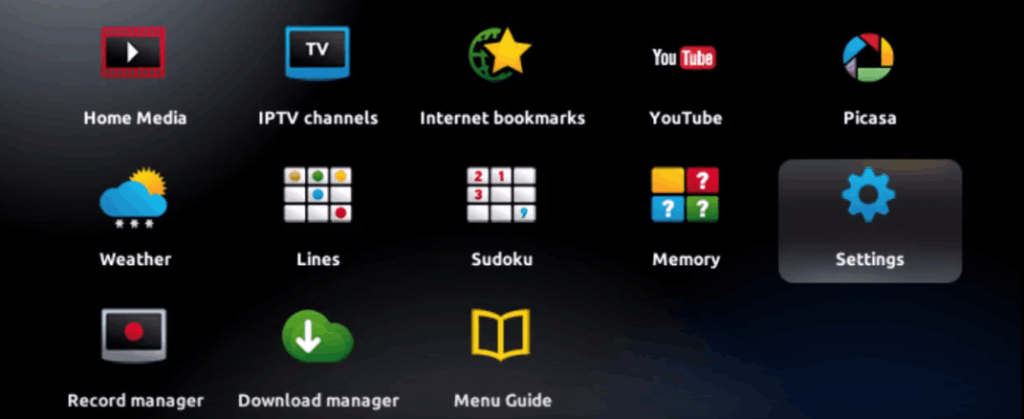
Open System Settings
From the main menu, choose Settings → System settings.
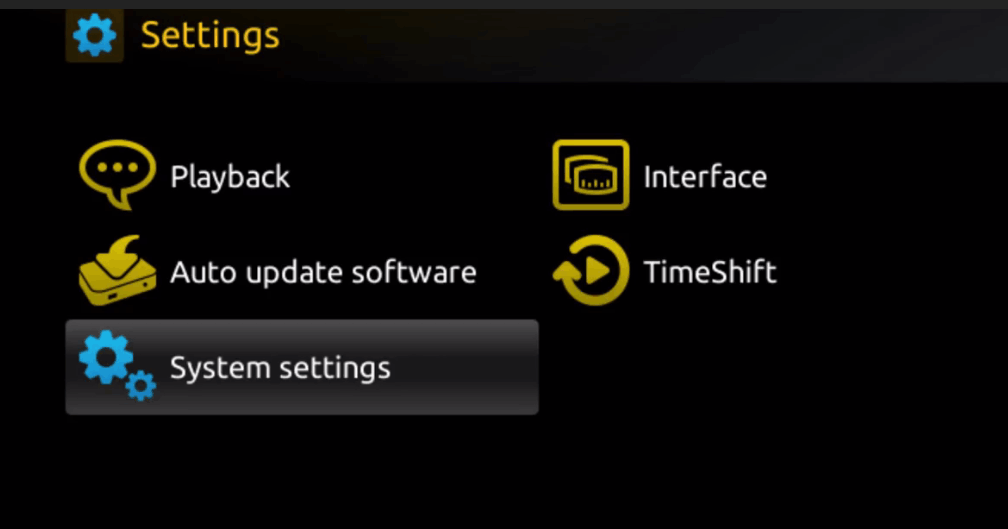
Confirm the network is up
Check Network and make sure the box has an address. A MAG with no network shows an empty portal rather than an error, which is easy to misread.
Find the MAC address
It is printed on the sticker underneath the box and shown under System settings → Device info. It must match the one registered on your subscription exactly, or the portal will refuse to load.
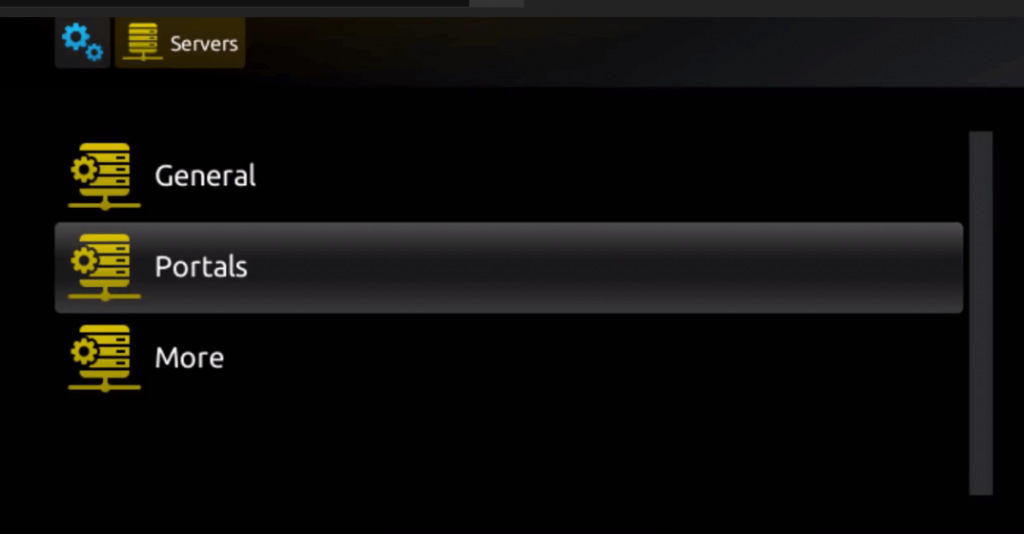
Open the Portals screen
Go to System settings → Servers → Portals.
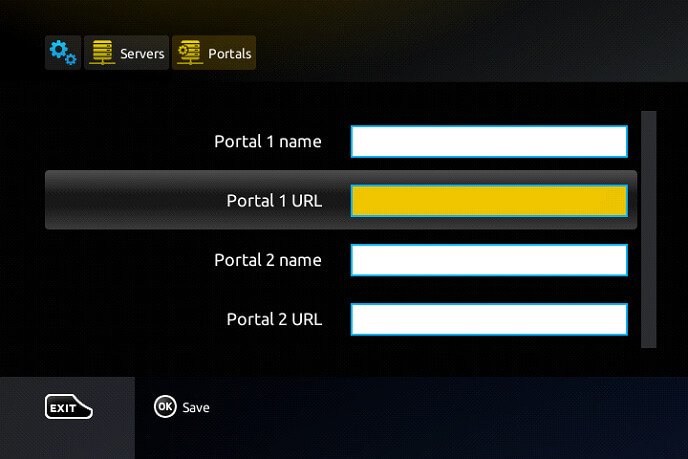
Enter the portal URL
Give Portal 1 any name, then type the portal URL from your subscription page. Leave Portal 2 empty.
Save and restart
Save, then restart the box from the menu rather than pulling the power. It reboots into the Apollo portal.
If the portal loads blank or says "no link"
That is almost always the MAC address: either it has not been registered against your subscription, or it was entered with a different separator. Send us the MAC exactly as the box displays it and we will match it.
Questions about MAG Device
Why do you need my MAC address?
A MAG identifies itself by MAC rather than by username and password. Until yours is registered against your subscription, the portal has nothing to match and loads empty.
Where do I find it?
On the sticker underneath the box, and in System settings under Device info. Send it exactly as the box shows it, separators included.
Can I move the subscription to a different MAG?
Yes, but the new box's MAC has to replace the old one on your subscription. Contact support with both and we will switch it.
Other devices
Need a hand?
Support answers around the clock, and a line can be tested from a desktop in about a minute if you are not sure whether the problem is the device or the subscription.
Open the help centre