10 minutes · IPTV Smarters Pro
Apollo Group TV on Android TV / Google TV
Android TV needs developer mode switched on before it will side-load. Ten minutes, and the menu names differ slightly by manufacturer.
Android TV and Google TV give you the fullest version of the player — proper remote support, a real settings menu, and hardware decoding that keeps 4K smooth. Getting there means switching on developer mode, which is a standard Android step and entirely reversible.
Devices this covers
- Chromecast with Google TV (HD and 4K)
- NVIDIA Shield TV and Shield TV Pro
- Sony, Philips, TCL and Hisense sets running Android or Google TV
- Xiaomi Mi Box S and TV Stick
- Any Android TV device on Android 7 or later
Before you start
- An Android TV or Google TV device (Chromecast, Shield, or a built-in TV)
- Your Apollo server URL, username and password from the portal
- The download code from your subscription page
Your server URL, username and password are on your subscription page in the portal, and in the email sent when the line was created. Copy them exactly — they are case-sensitive, and a trailing space pasted from an email is the most common reason a login is rejected. Open your subscription page.
Installing with IPTV Smarters Pro
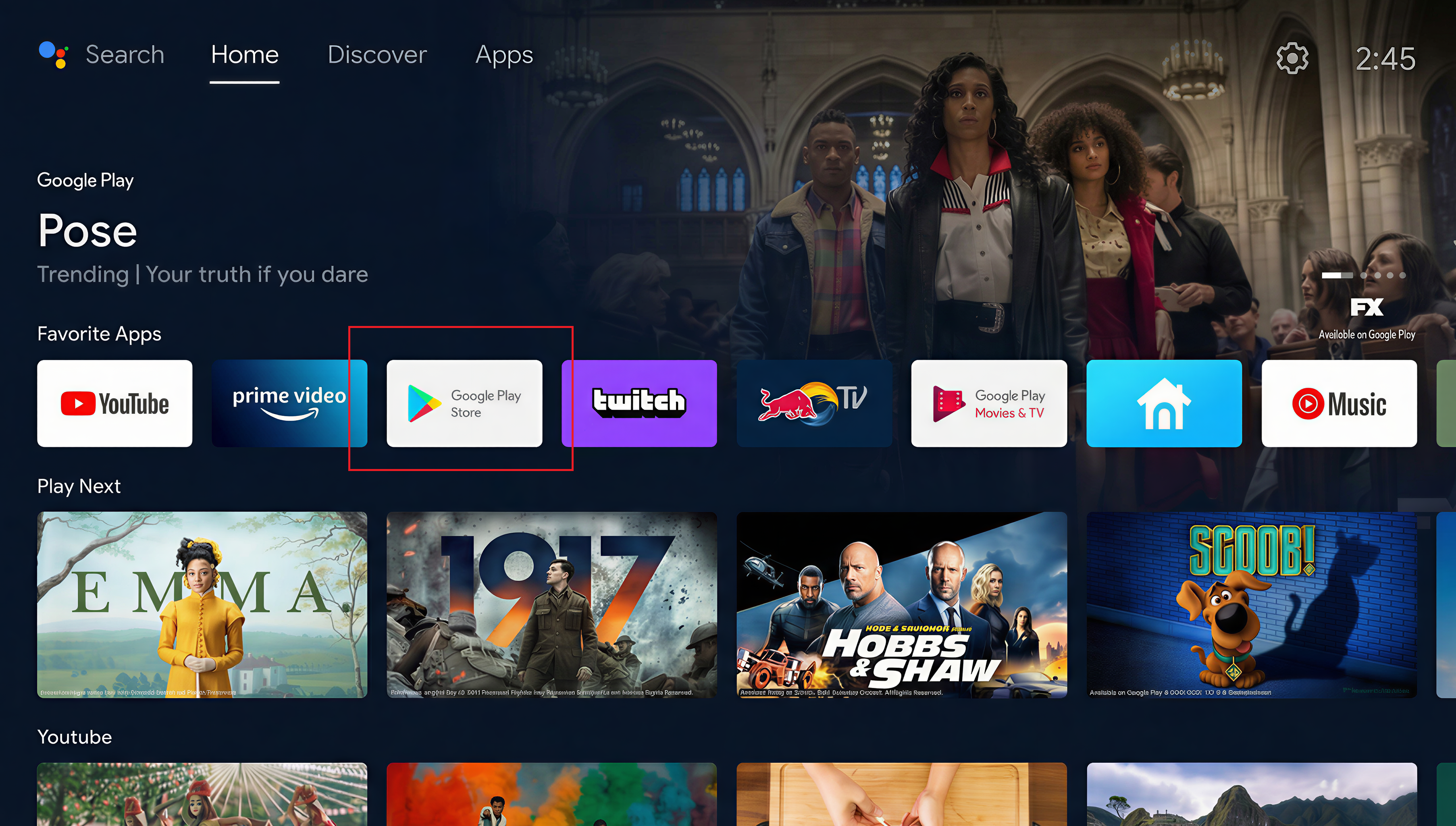
Open the apps row
From the home screen, scroll to Apps and open the Play Store from there.
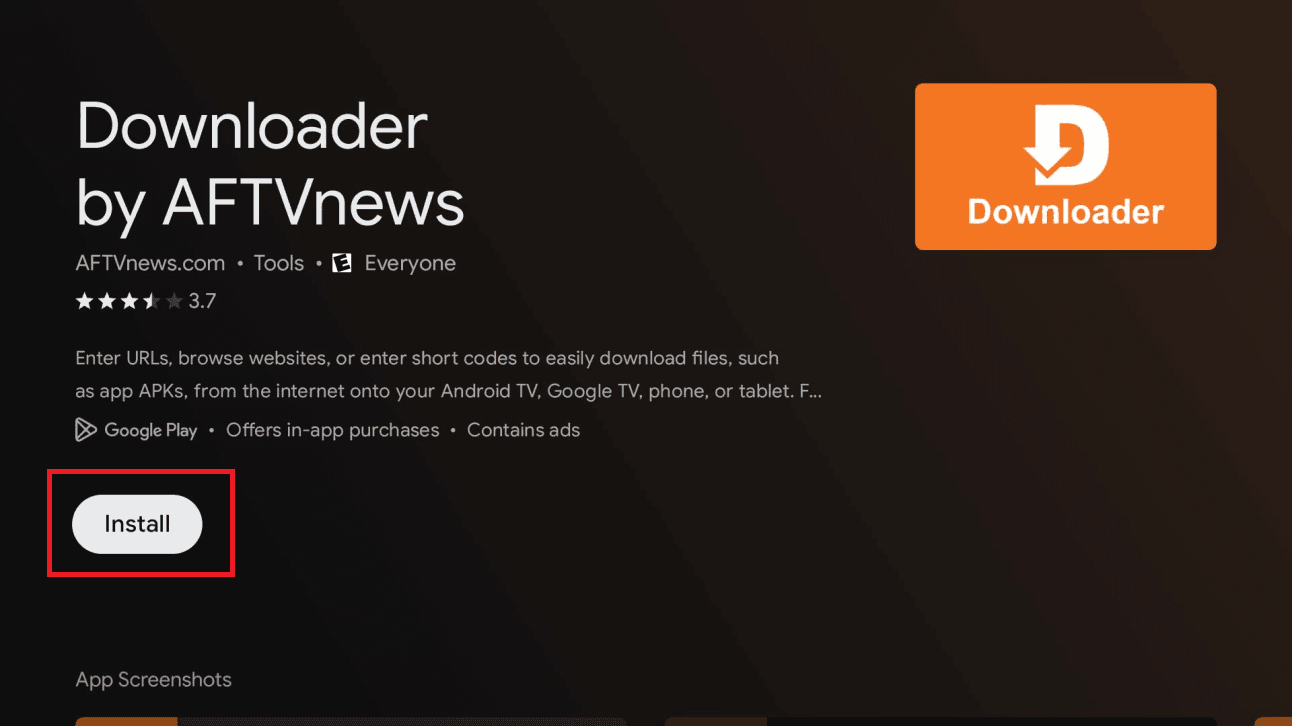
Install Downloader
Search for Downloader by AFTVnews and install it. Android TV's own store has no IPTV players, so this is how the app gets on.
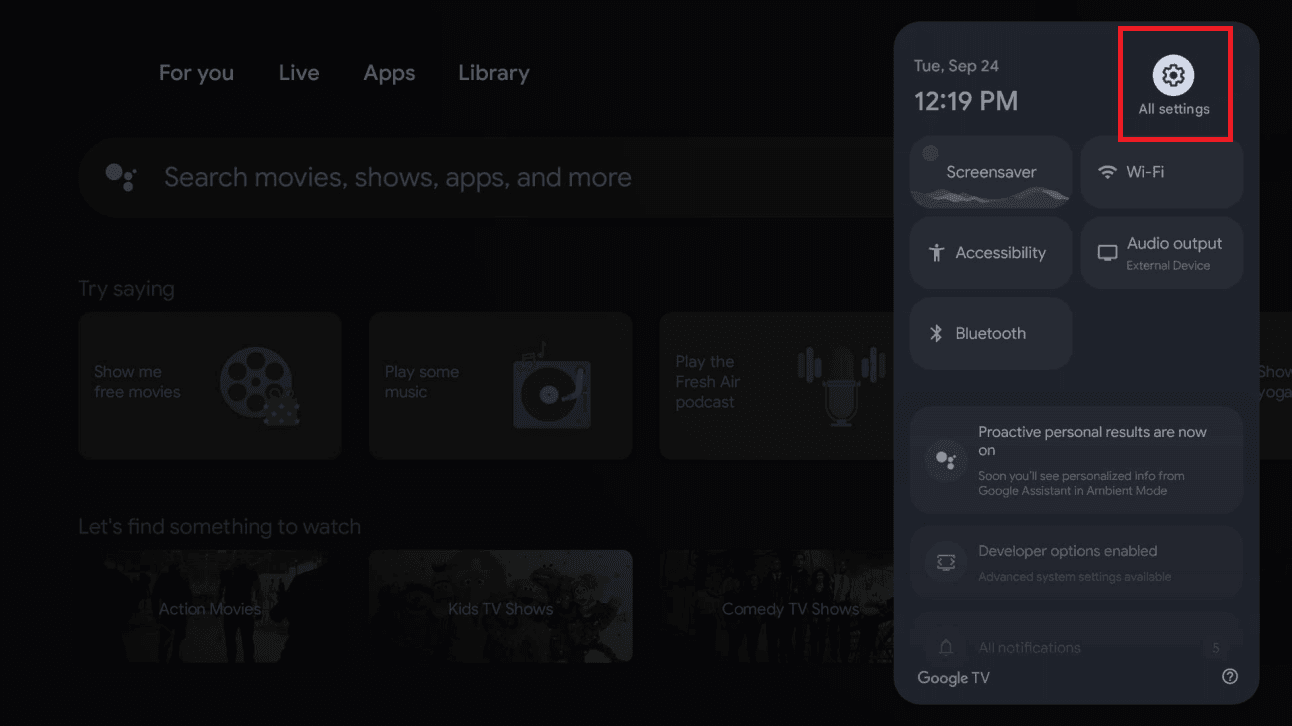
Open All Settings
Press the gear icon on the home screen, then All settings — not the short quick-settings panel.
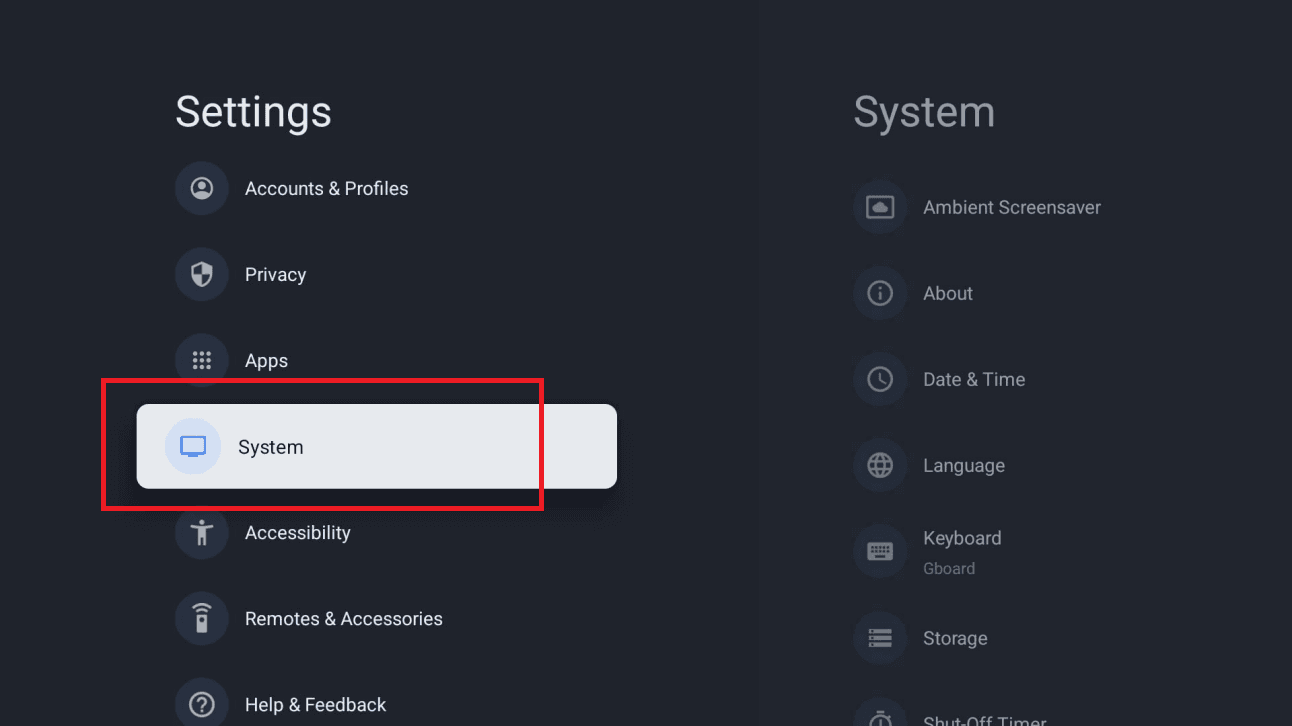
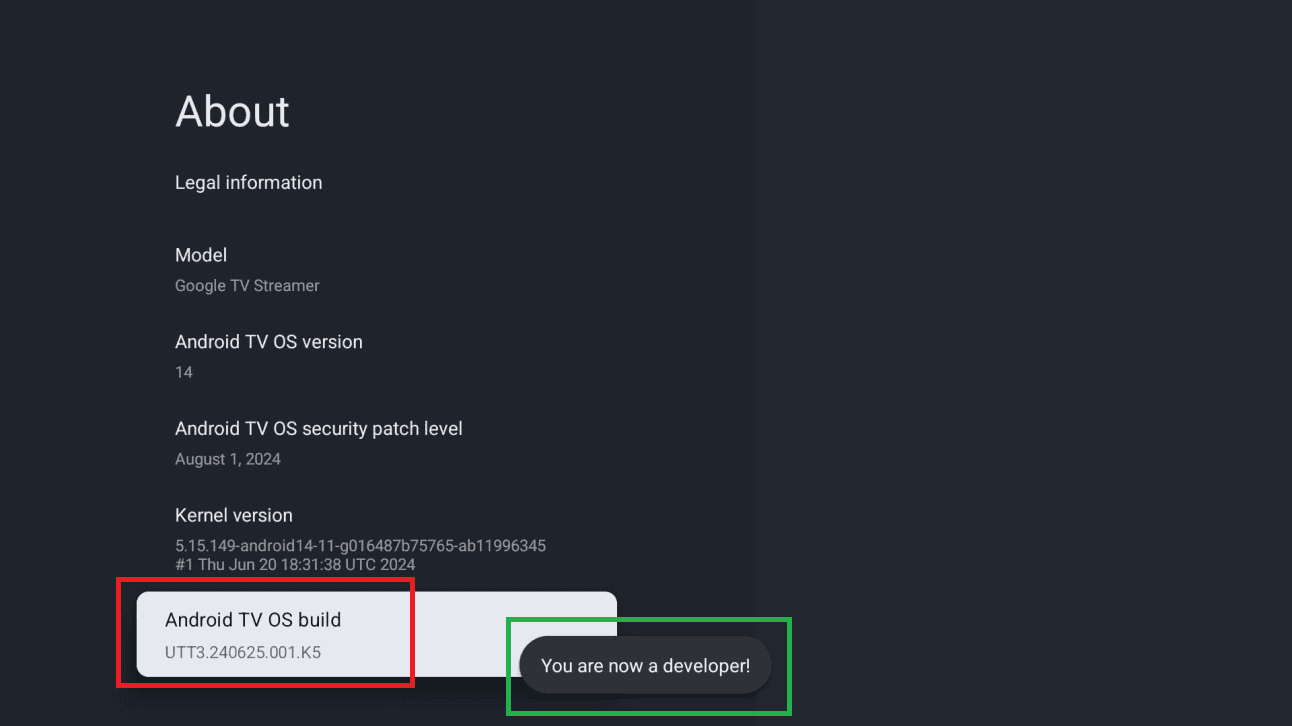
Find the build number
Go to System → About. Some manufacturers put this under Device Preferences instead.
Tap Build seven times
Select Build repeatedly until a message says you are now a developer. This is Android's standard way of unlocking developer options and it is reversible.
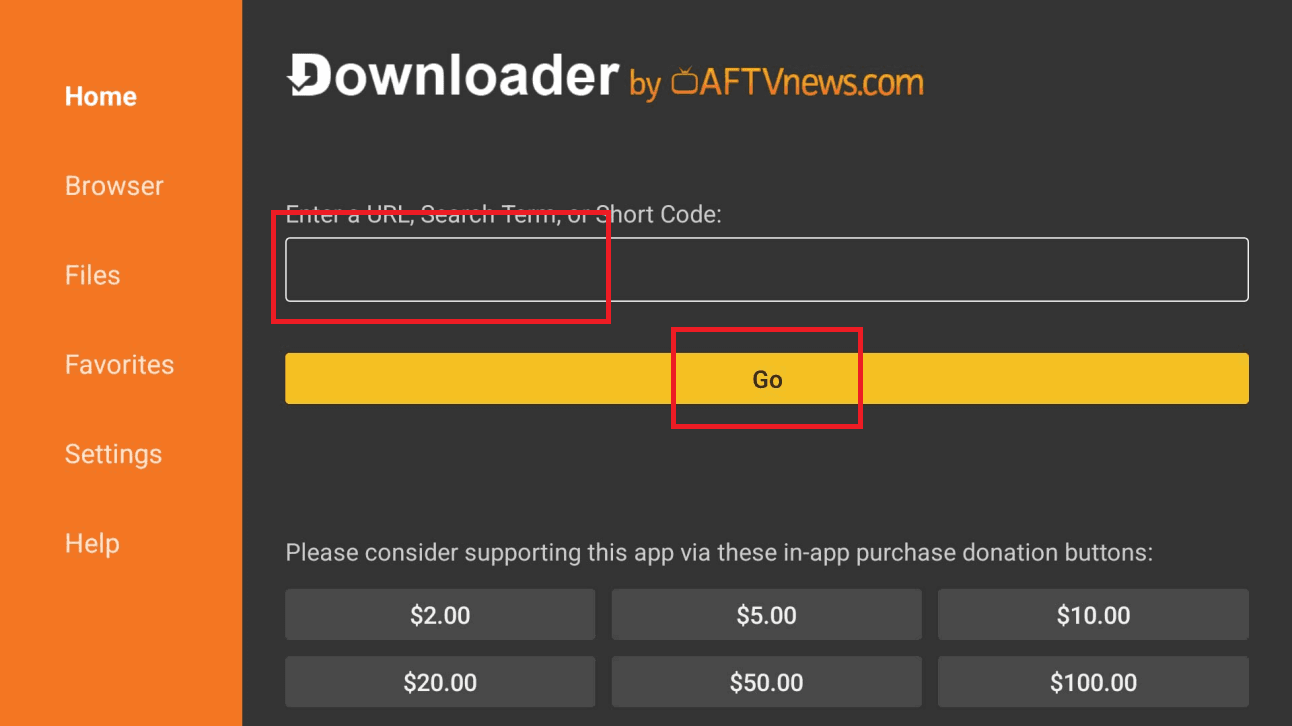
Enter the download code
Open Downloader and type the code from your subscription page, then press Go.
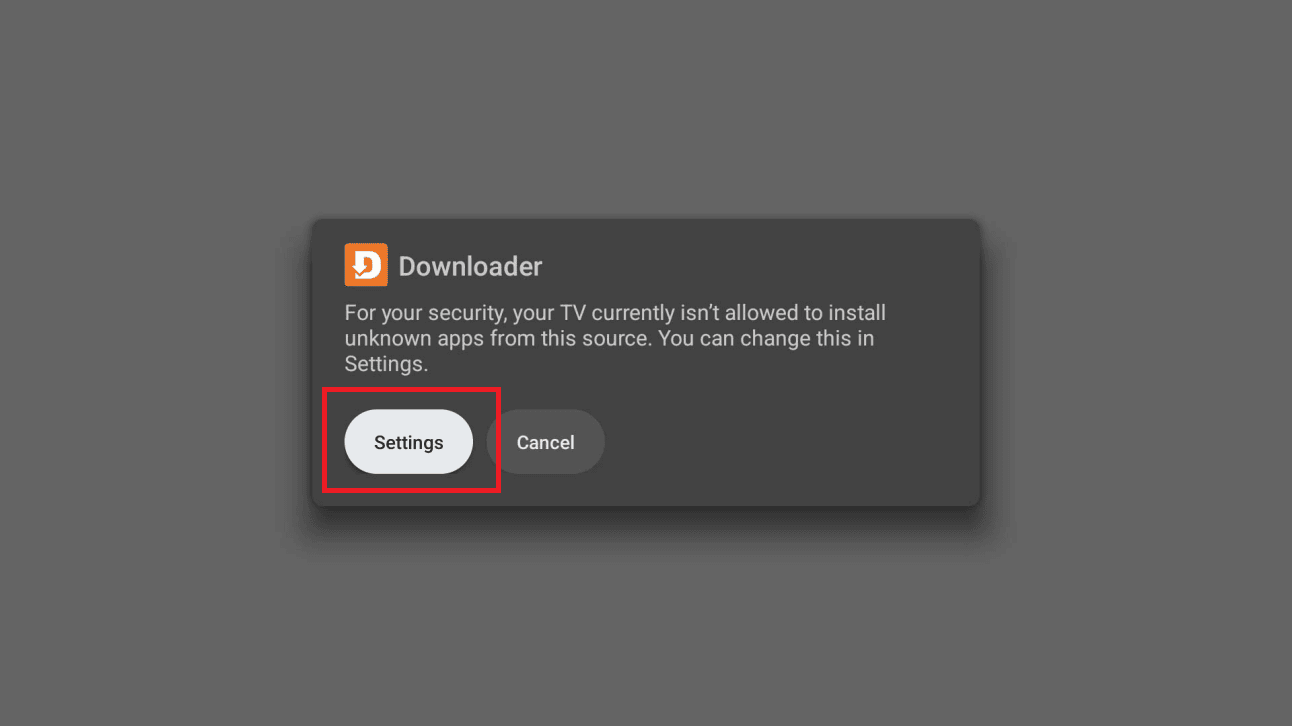
Allow the install when prompted
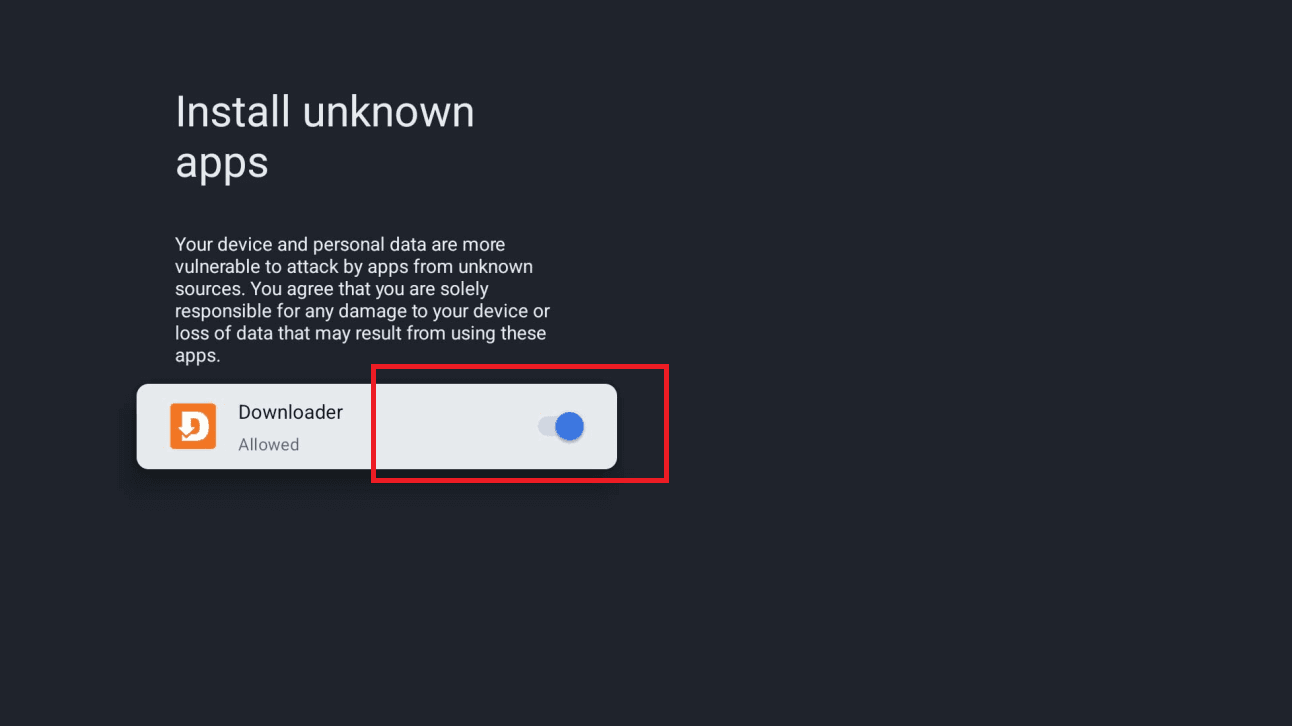
Android will block the first attempt and offer a settings shortcut. Follow it and switch Downloader on, then press back — the install resumes on its own.
Install and open
Choose Install, then Open. Delete the installer file when Downloader offers to.
Sign in with Xtream Codes
Pick the Xtream Codes login and enter your username, password and server URL from the portal.
If the remote cannot type the server URL
The on-screen keyboard makes long URLs painful and typos invisible. Install Google's Android TV Remote app on your phone and type from there — it sends real keystrokes to the box, and you can paste.
Questions about Android TV / Google TV
Is turning on developer options risky?
No. It exposes an extra settings menu and nothing more, it is a documented Android feature, and you can switch it back off once the app is installed.
Does it work with Google TV's home screen recommendations?
The player runs as its own app; it does not publish rows into the Google TV home screen. Launch it and browse from inside.
Which device gives the best picture?
An NVIDIA Shield, by a clear margin — it has the strongest decoder and the best upscaling. A Chromecast with Google TV 4K is the value pick.
Other devices
Need a hand?
Support answers around the clock, and a line can be tested from a desktop in about a minute if you are not sure whether the problem is the device or the subscription.
Open the help centre