5 minutes · IBO Player Pro
Apollo Group TV on Roku / TCL
Roku will not side-load at all, so setup goes through a web activation. About five minutes.
Roku is the most locked-down platform here: it will not side-load at all, so there is exactly one route in, and it runs through a web activation. It works, and it is stable once set up — but Roku removes third-party IPTV channels from time to time, which is worth knowing before you rely on it.
Devices this covers
- Roku Streaming Stick and Stick 4K
- Roku Express and Express 4K
- Roku Ultra
- TCL and Hisense sets running Roku TV
Before you start
- A Roku device or a TCL/Hisense TV running Roku
- A phone or laptop for the activation step
- Your Apollo server URL, username and password from the portal
Your server URL, username and password are on your subscription page in the portal, and in the email sent when the line was created. Copy them exactly — they are case-sensitive, and a trailing space pasted from an email is the most common reason a login is rejected. Open your subscription page.
Installing with IBO Player Pro
Roku's platform is closed, so this is the only route — and it is activated on the web rather than on the TV.
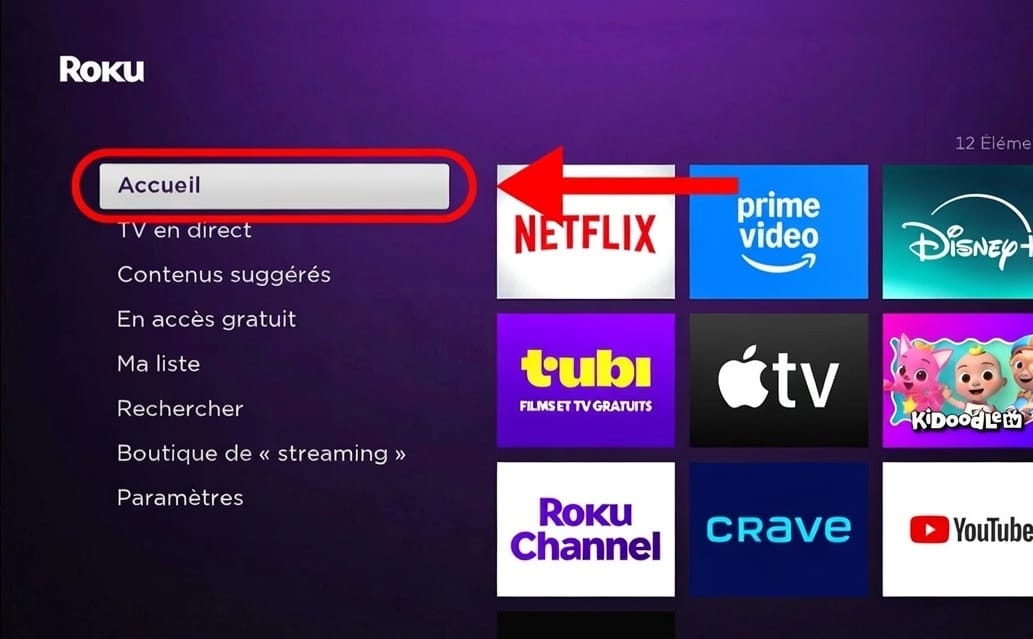
Open the Roku home menu
Press the home button on the remote.
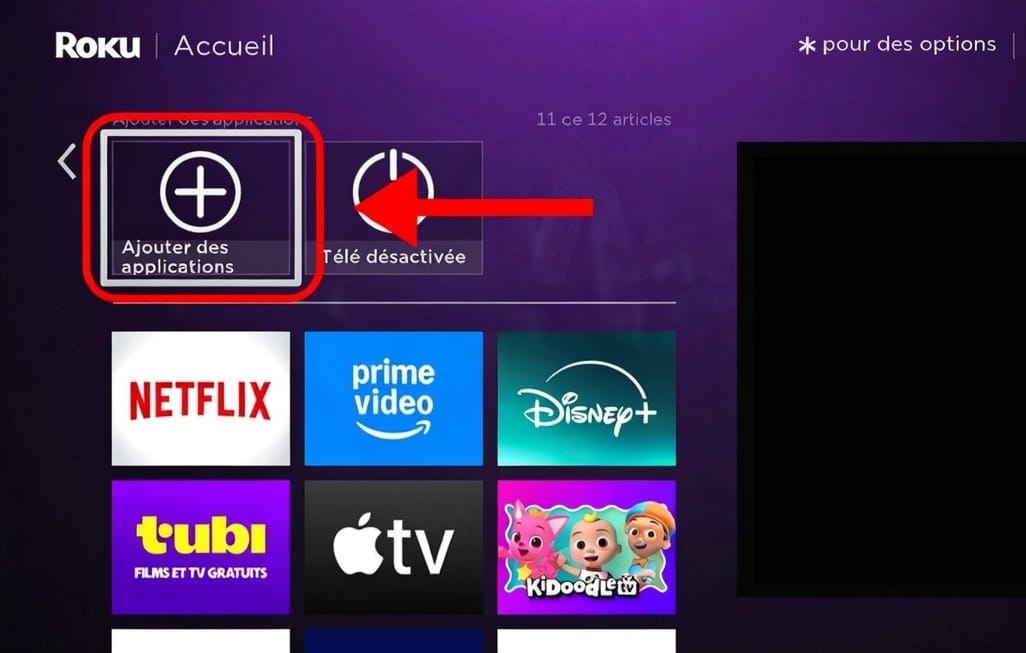
Go to Streaming Channels
Select Streaming Channels to open the Roku channel store.
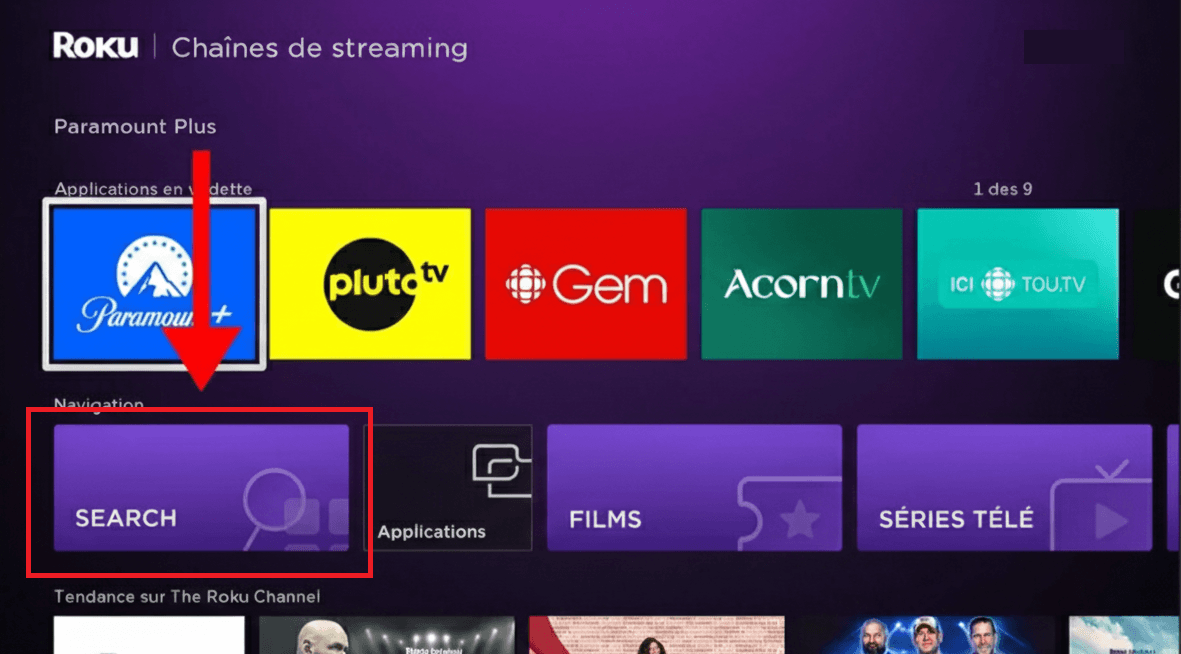
Open search
Choose Search Channels.
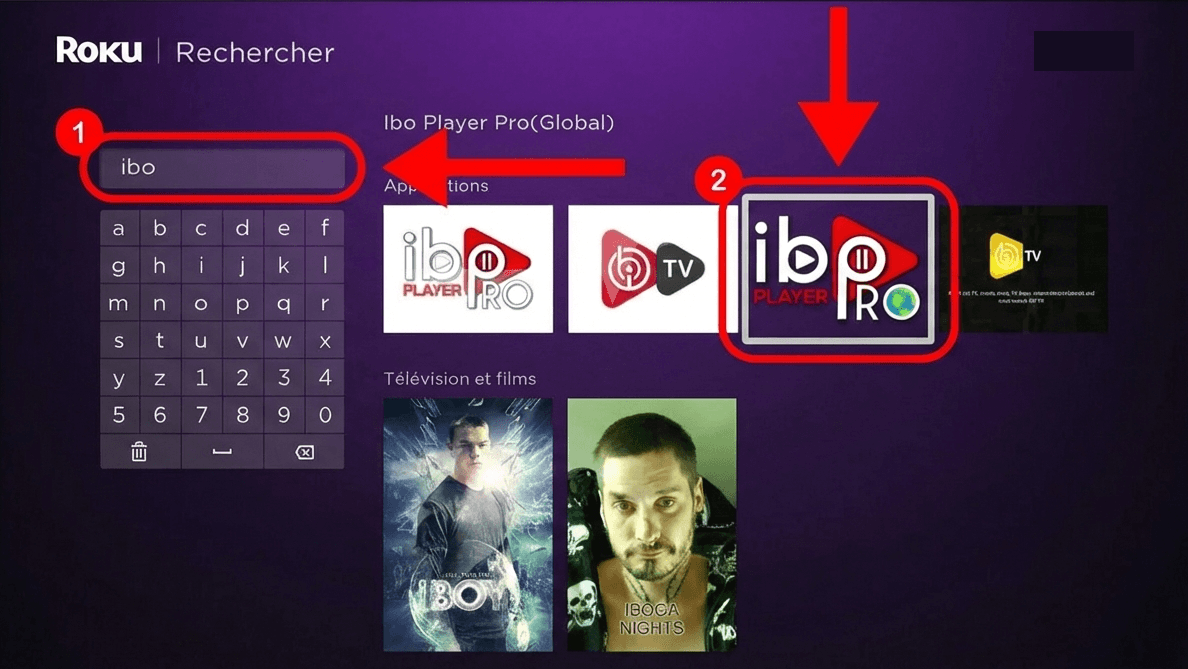
Find IBO Player Pro
Type Ibo Player Pro and select it from the results.
Add the channel
Choose Add channel and wait for it to appear on your home screen.
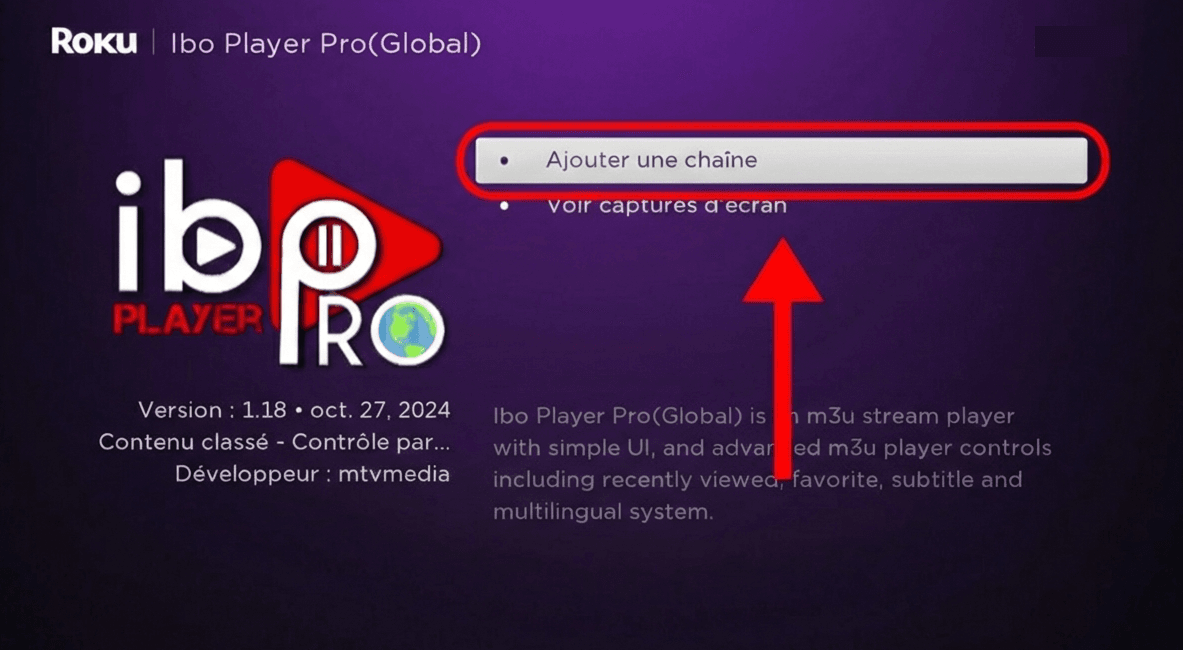
Accept the terms
Open it and accept the terms it shows on first launch.
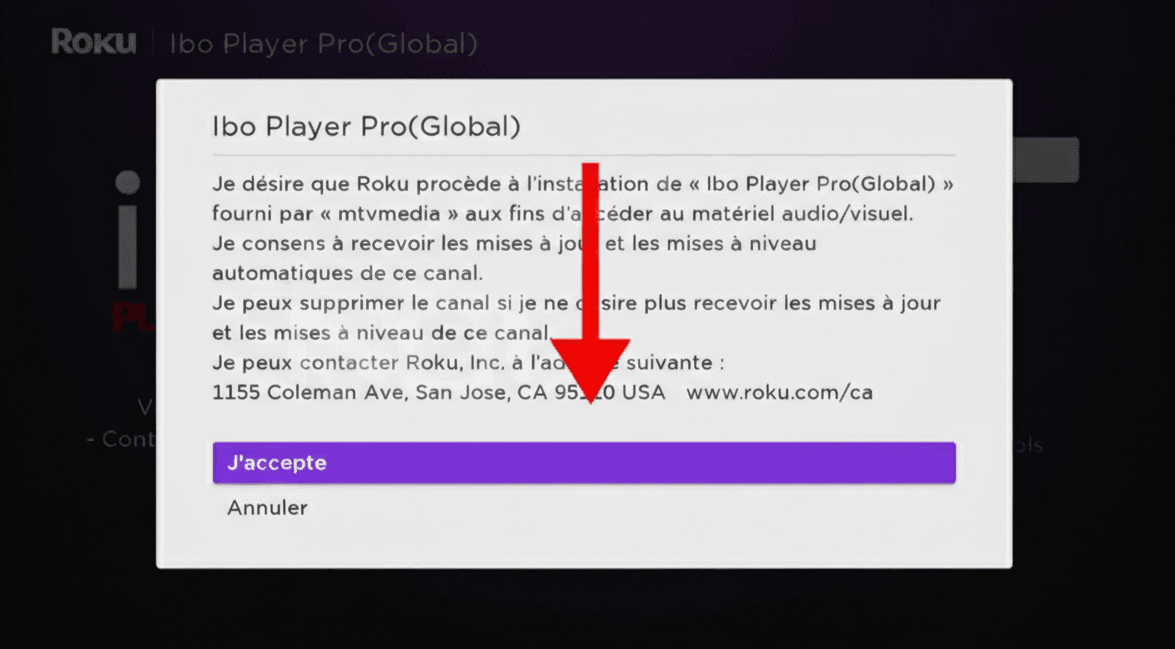
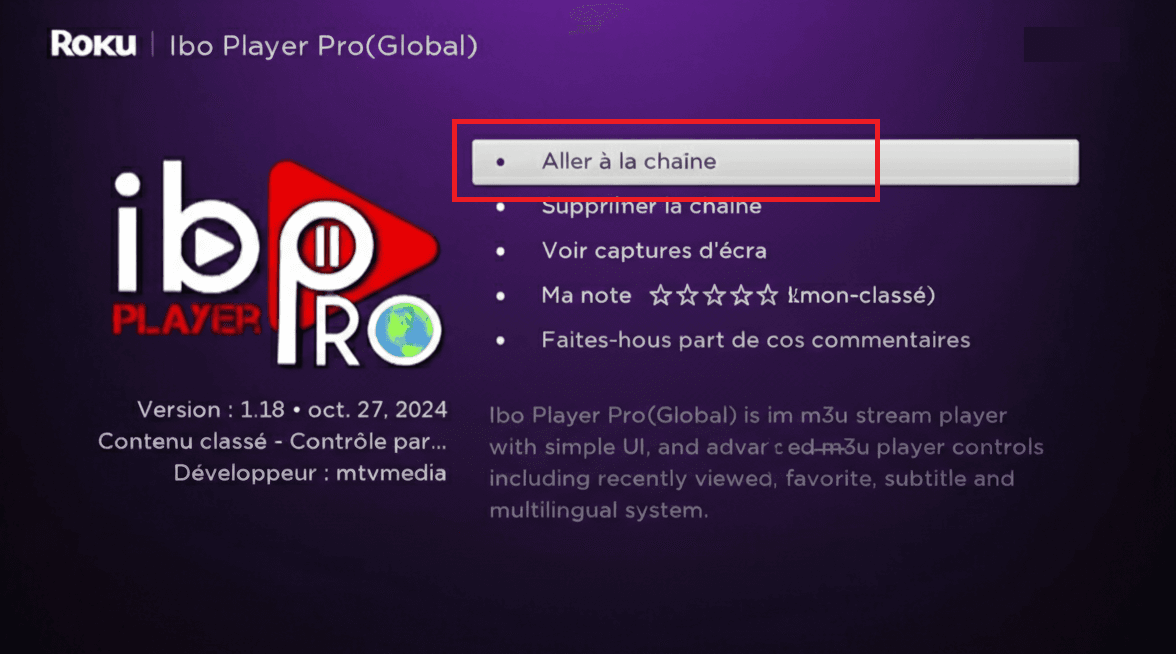
Open the app
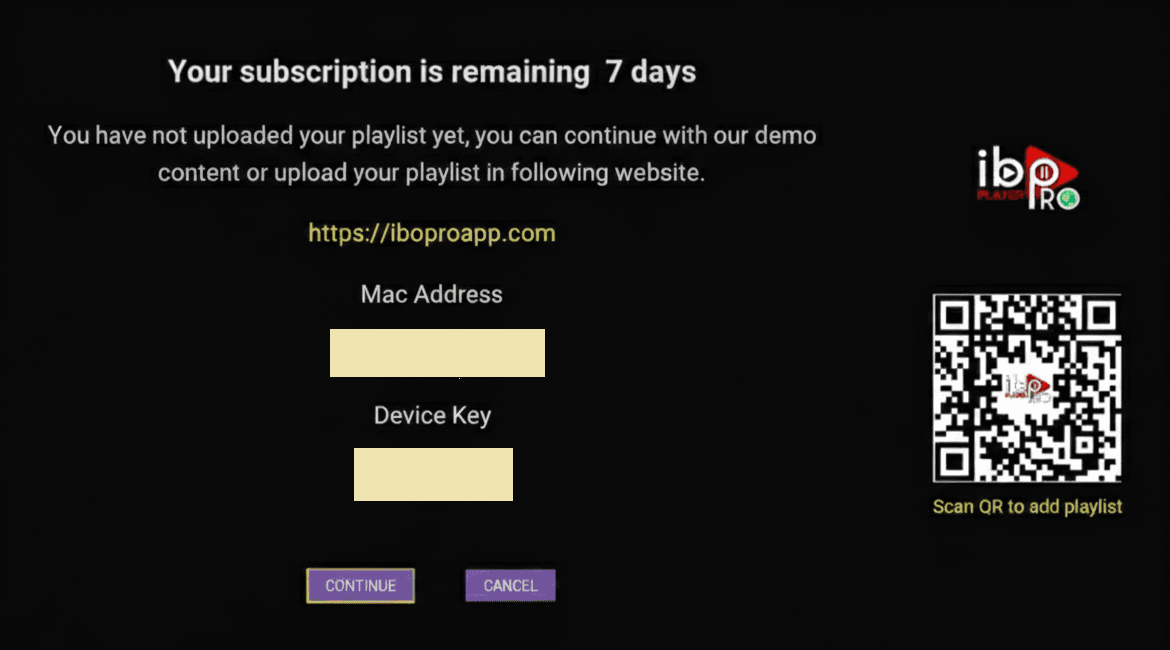
It starts on an activation screen rather than a channel list.
Activate on the web
Note the MAC address and Device Key shown, go to iboplayer.com on a phone or laptop, and add your line there as an Xtream account. Restart the app on the Roku afterwards.
If the channel is missing from the Roku store
Roku periodically removes third-party IPTV channels, and availability differs by account region. If it is not there, the practical answer is a Fire TV Stick or Android box on the same TV rather than waiting for it to return.
Questions about Roku / TCL
Why can't I just install an APK?
Roku does not allow side-loading in any form. Channels come from its own store, which is why the activation happens on a website instead.
The channel isn't in the store.
Roku periodically pulls third-party IPTV channels and availability varies by account region. If it is missing, a Fire TV Stick or Android box on the same TV is the practical answer.
Does it support 4K?
On a 4K Roku, where the channel is broadcast in 4K. The player is more limited than the Android version — expect fewer settings.
Other devices
Need a hand?
Support answers around the clock, and a line can be tested from a desktop in about a minute if you are not sure whether the problem is the device or the subscription.
Open the help centre