3 minutes · IPTV Smarters Pro
Apollo Group TV on Android Phone / Tablet
The quickest setup of the lot. Download, allow one permission, sign in — around three minutes.
Phones and tablets are the quickest setup on this list and the handiest way to check that a new line works before you touch a TV. The app is the same one that runs on Fire TV and Android TV, so what you learn here transfers.
Devices this covers
- Android phones and tablets on Android 7 or later
- Samsung, Google Pixel, Xiaomi, OnePlus and the rest
- Amazon Fire tablets — install the same way as a Fire TV Stick
Before you start
- An Android phone or tablet on Android 7 or later
- Your Apollo server URL, username and password from the portal
Your server URL, username and password are on your subscription page in the portal, and in the email sent when the line was created. Copy them exactly — they are case-sensitive, and a trailing space pasted from an email is the most common reason a login is rejected. Open your subscription page.
Installing with IPTV Smarters Pro
Open the download link on the phone
Use the link on your subscription page in the portal. Opening it on the phone itself saves transferring a file around.
Allow the install
Chrome will warn that it cannot install unknown apps and offer a settings toggle. Switch it on for Chrome, then press back.
Install and open
Tap Install, then Open. You can revoke the permission from step two afterwards if you prefer.
Choose the Xtream Codes login
Pick Login with Xtream Codes API rather than the playlist option, so you get the full programme guide.
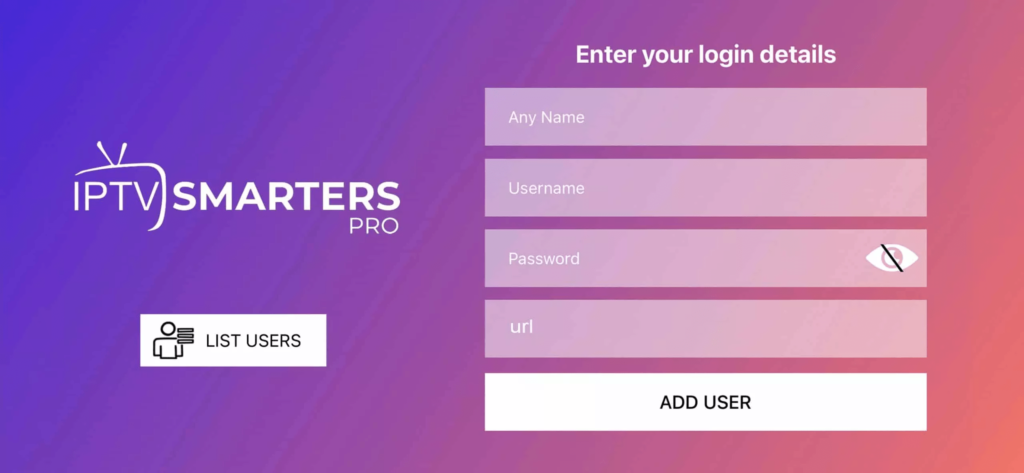
Enter your line and wait for the sync
Type the username, password and server URL from the portal. The first load takes a minute while the guide downloads.
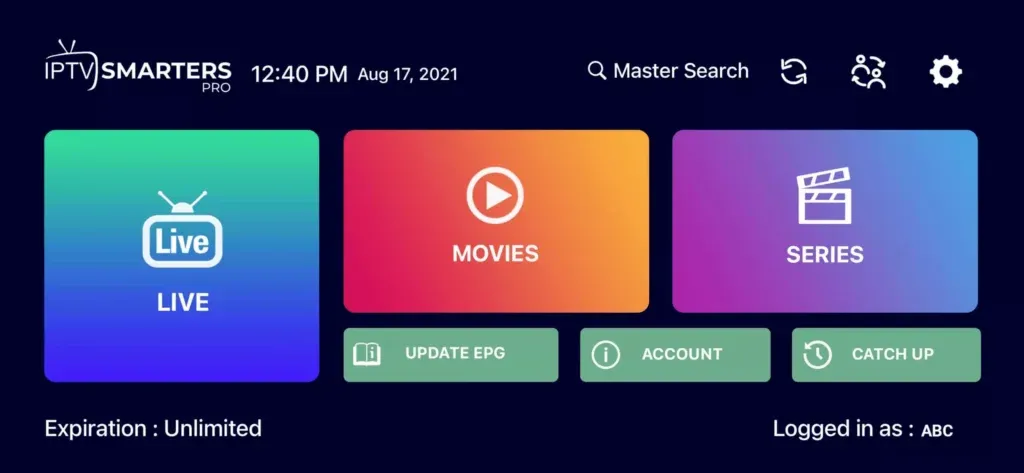
If playback stutters on mobile data but not Wi-Fi
Some carriers throttle sustained video. Drop the stream to HD in the player's settings, and if it persists the problem is the carrier rather than the line — the same credentials on Wi-Fi will confirm it in a minute.
Questions about Android Phone / Tablet
Does it use a lot of data?
Roughly 0.7GB an hour in HD and around 3GB in 4K. On a metered plan, drop the quality in the player's settings before watching anything long.
Can I cast from the phone to my TV?
You can, but mirroring re-encodes the video and adds a hop across your Wi-Fi. Setting the TV up directly is noticeably more stable.
Can I watch on the phone and the TV at once?
Only if your plan covers more than one simultaneous device. The number you bought is what the line allows at the same time.
Other devices
Need a hand?
Support answers around the clock, and a line can be tested from a desktop in about a minute if you are not sure whether the problem is the device or the subscription.
Open the help centre